Verify It Yourself — the IT Sheet
For: the stakeholder carrying this into an IT / security review, and the SME receiving it. One page, both registers.
Read this first — the bridge. This is not new machinery. It is the exact trust system your IT team already operates — TLS certificates, SSH keys, signed OS updates — applied to business records: permissions, receipts, consent. There is no blockchain, no coin, no consensus protocol. Just digital signatures plus an append-only chain that anyone can recompute.
Side A — the four-click demo (business)
Open crm-sync.dev/verify and do this in front of the room:
- Say: "This page checks a permission slip against our published public key, on your machine. It never asks the server whether to trust anything."
- Click "No token? Mint a sample." — "The server just sealed a fresh permission slip — who may act, on what, until when — with a private key only the server holds."
- Click "Verify offline" → ✓ SIGNATURE VALID. — "Your browser paired the published public half with that seal. Nobody vouched for it; the math did."
- Click "Flip one character" → Verify → ✕ fails. — "One character changed after sealing, and it's caught. Records that cannot be quietly altered."
If anyone asks how, the "How does this work?" button on that page explains it in three steps (seal → pairing → ledger), with the everyday anchors: the SSH key you add to GitHub, the chip in a bank card, the padlock behind https://, the .env rule — public half publishable anywhere, private half never leaves the server.
Fifth click, for the data side: "See a session's story" opens live demo sessions — one visit's record in four panes (consent · entitlement · revenue · engagement), from the platform's own test identity. The one to show IT: the reset rule — consent revoked now, honored immediately, re-granted only from the next session, with engagement withheld in the data path itself.
Vocabulary that keeps the room straight: a token is a sealed credential you verify — the math-gated door; a session bookmark is a pointer you look up — the role-gated door. Bookmarks contain nothing and grant nothing (like a receipt number, they only say which record); tokens carry their claims and prove themselves offline. Never call a bookmark a key.
The sample token expires in 15 minutes — deliberately. Verify it again after coffee and watch it fail honestly: expiry is enforced by math too.
Side B — the technical claims (IT / SME)
Everything below is checkable without trusting the platform or its web page.
- Format. Tokens are compact JWS, signed EdDSA (Ed25519). The protected header names the signing key by
kid. - Keys. Public halves only, published at
https://crm-sync.dev/.well-known/jwks.json. The private half stays server-side and is minted through a key ceremony. Rotation uses named generations: a newkidis published beside the old, retired keys keep verifying until theirnot_after— no flag day, no re-issuing history. - Independent verification. Use your own tooling — not our page:
// Node — npm i jose
import { createRemoteJWKSet, jwtVerify } from "jose";
const JWKS = createRemoteJWKSet(new URL("https://crm-sync.dev/.well-known/jwks.json"));
const { payload, protectedHeader } = await jwtVerify(token, JWKS);
console.log(protectedHeader.kid, payload);
The hosted page at /verify is a WebCrypto convenience; its only network call is the JWKS fetch. Verification never contacts the platform API.
- Possession is not authority. The sample token carries
caps: []— holding it grants nothing. Real tokens carry scoped capabilities that are checked server-side on every call, and are revocable per credential (jti) and per subject, in real time. A leaked token is ejected without touching anyone else's access. - Audit. Every certificate verification lands on a hash-chained register —
/license/verifications?jti=…— timestamps, results, anonymized distinct-checker counts, and achain_intactflag your auditor can recompute. History can be visibly broken, never quietly edited.
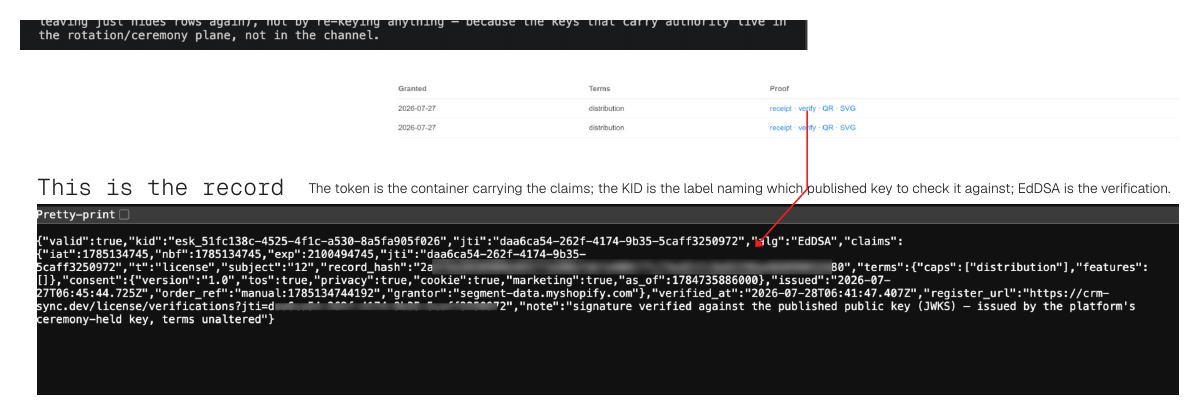 This is the record. The token is the container carrying the claims; the
 kid names which published key to check it against; EdDSA is the verification.
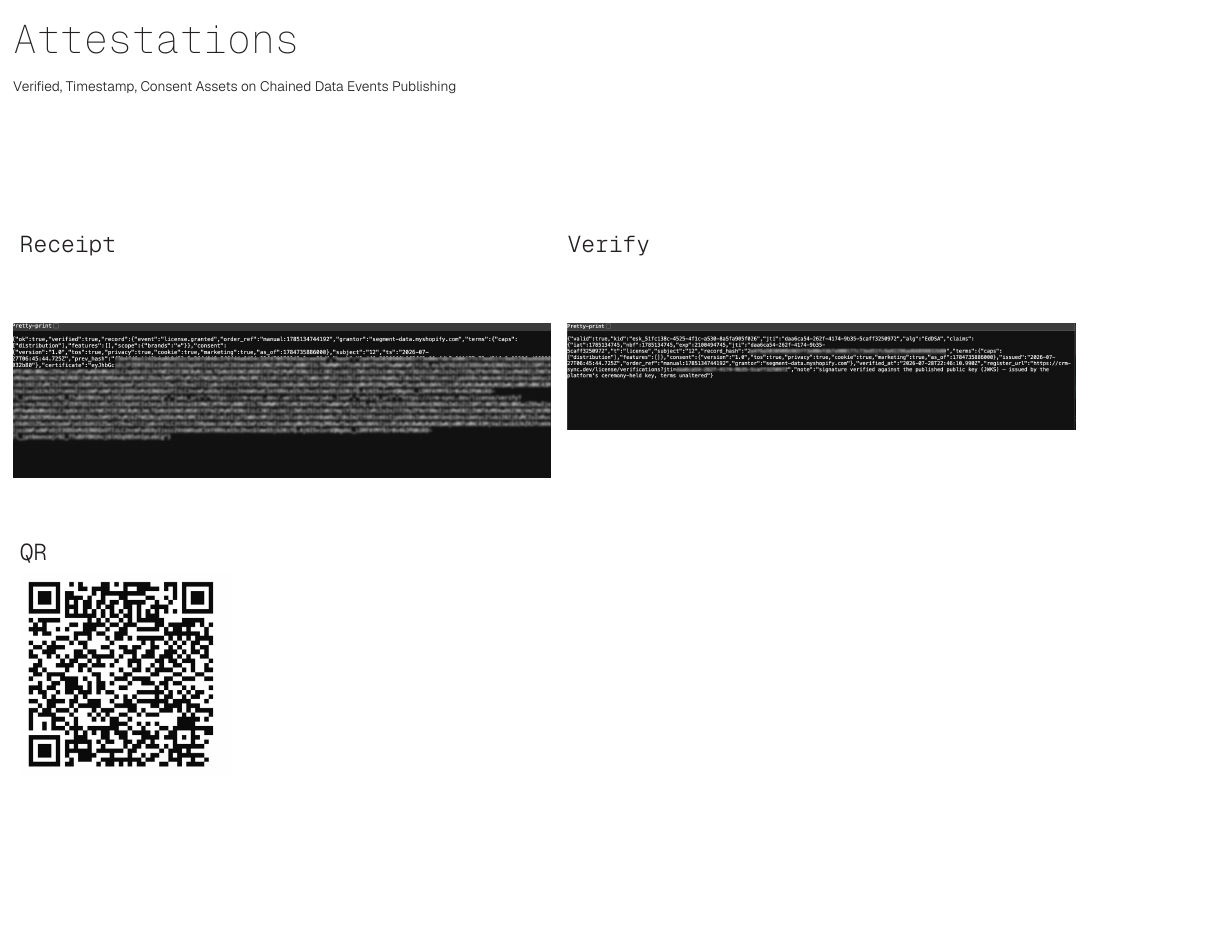 What the artifacts look like in hand: the receipt, the verify result, and the QR that carries it.
Tests to run
- Mint a sample at
/verify/sampleand verify it with your own JWKS tooling — not ours. - Flip one byte anywhere in the token → verification must fail.
- Wait past the 15-minute expiry → verification must fail on
exp. - Fetch the JWKS and confirm it carries no private key material (OKP/Ed25519,
xonly). - Ask for a rotation demonstration: after a rotation, old records still verify under the retired
kid.
Endpoints
| Surface | What it is |
|---|---|
/verify | Offline verifier — WebCrypto in your browser; mint-a-sample + tamper demo built in |
/verify/sample | Mints a live, zero-authority demo token (15-minute expiry) |
/.well-known/jwks.json | The published public key set |
/license/verify | Server-side certificate check — appends to the chain of custody |
/license/verifications?jti= | The per-certificate chain-of-custody register |
What this is tier one of
This demo proves the mechanism with keys the platform holds. The follow-on conversation — when your IT says "fine, but we would hold our own keys" — is exactly the intended next step: tenant-scoped credentials and a signing generation of your own, minted under the same key ceremony, with separation of duties on your side. The demo earns that meeting; it does not preempt it.
Companion reading: Your Firmware Is a URL — the CRA Assumes an Evidence Chain · Firmware, SBOM & the Cyber Resilience Act · the deck Entitlement for Composable AI (PDF).